Showing posts with label 3 Piece Set. Show all posts

Monday, February 20, 2017

Good Luck-3 Piece Set


This tut was written for those with a basic knowledge of psp.
I am using the awesome artwork of  Keith Garvey.
The tube is called Aileen.
You need a license to use this art work. Please do not use without a license.
 You can find this art at his Store  HERE

Supplies Needed
I used PSPX...but any of them should work.
Scrap by C.S.E. Designs Luck HERE
Kit no longer available 
Check out the rest of the blog HERE
DD SPD Mask 2  HERE
Check out the rest of the blog HERE
Filters
Xero-Bad Dream and Clarity
Mura Meister Copies-Encircle

 Font of Choice, I used bu Wicked

Drop Shadow usually V2 H2 50 black
 *Remember to add your drop shadow as you go along*

Open a new image 800x800, paste paper 2, resize larger to 130%, apply
your mask, delete, merge group, then resize larger again to 110%.

Resize element 38 to 80%, duplicate, mirror, flip, erase as much of the fern part as your can and move below the first one.
Paste your close up tube, mirror and move off to the left a bit,
then take either your free hand tool and draw around it or your eraser and erase the part outside this element.
Apply the Xero filter-Bad Dream to your tube first, then Clarity.

Resize element 44 to 50%, paste at the bottom.

Paste your full tube below the wordart, duplicate, move above the wordart,
erasing some of the leg.

Resize element 8 to 50%, apply Mura Meister Copies-Encircle, change the first number
to 14, move to just above the mask layer, duplicate, mirror, erasing any part showing inside.

Paste element 8 on the left below the wordart.
Resize element 10 to 60%, paste on the right below the tube layer.

Resize element 21 to 40%, paste on the right in front of the pot of gold.
Resize element 46 to 30%, paste on the left above the wordart.

Resize element 45 to 40%, paste on the right on the hat part, duplicate, mirror, paste on
the pot of gold, erase some of the sparkle hanging off the hat.
Resize element 30 to 45%, paste below the frog layer on the wordart.

Resize element 39 to 75%, mirror, paste below the pot of gold.
Resize element 42 to 50%, paste on the rainbow, erasing the part off the rainbow,
duplicate a couple times, move down, erasing any part you don't want.

I saved this for last, resize element 25 to 37%, flip apply Mura Meister Copies-Enicircle,
change the first number to 20, move to just above the mask layer, then take
your Pick tool and adjust to fit your frame better, erasing any showing inside the frame area.

Add any other elements that you want.

If you want to do a Signature tag and Avator, don't merge your tag just yet.

Signature
Size 600x200
Close off your tube on your tag, copy merged and paste.
Then take your middle size tube and paste, resize to 90% and move to the right,
or
if you prefer to use the tube from your tag, open and copy and paste that one.
Resize the frog to 40%, paste on the left.
If happy, merge visible, add a frame of choice.
I used AAA frames-Foto frames, width at 3, all other number left as is.
Add your copyright and name.
Avator
Size of choice, I used 200x200
Took my preset tool and drew a circle out with a width of 2 and background null.
Draw the circle, change to raster, paste  your signature tag with the tube showing, click inside
with the magic wand, expand by 2, invert, delete, move below the frame, select none.
Add noise at 100% to the frame.
Add your copyright and name.

Crop your main tag to be sure no stray shadows are on the edges of your tag.
Once happy with it all, close off any backgrounds, merge visible.
Resize first, then add your copyrights and name.

That's it
Hope you enjoyed doing my tut.

Saturday, January 7, 2017

Evil Queen-3 Piece Set


This tut was written for those with a basic knowledge of psp.
I am using the awesome artwork of  Keith Garvey.
The tube is called Evil Queen.
You need a license to use this art work. Please do not use without a license.
 You can find this art at his Store  HERE

Supplies Needed
I used PSPX...but any of them should work.
Millie's PSP Madness Template 697 HERE
Millie's PSP Madness Mask 133 HERE
Check out the rest of the blog HERE
Scrap Devilicious by Scraps and Tubes HERE
Check out the rest of the blog HERE

Filters
Xero-Frittillary
Mura Meister Copies-Glob
AAA Frame-sFoto Frame
EyeCandy 4000-Gradient Glow

 Font of Choice, I used Boere Tudor

Drop Shadow usually V2 H2 50 black
 *Remember to add your drop shadow as you go along*

Open your template, hold the shift key and hit the letter d to duplicate, close the original.
Go to Image, Resize to 90% all layers checked, then go to Canvas size and make it 800 x 800, delete the credits.
I did the resize because of my full tube being smaller, if the tube you use is larger then you may not want to resize smaller first.
Paste paper 5 on the bottom layer, apply your mask, delete, merge group.
Merge layer 2 down with layer one.

Merge layer 4 down with layer 3, select all, float, defloat, paste paper 2, invert, delete, select none, delete the template layer also.
Then apply a fat gradient glow with the first color being red and the second color being black.

Layer 5 apply the Xero filter-Fritillary with these settings twice
5, 30, 70, 50
Apply the same fat gradient glow as before.

Select layer 6, resize paper 3 to 75%, paste, invert, delete, select none. Add the same fat gradient glow as before.
Select layer 7, mirror, then paste your close up tube, invert, delete, select none. Duplicate your tube, go to Adjust, Blur, Gaussian blur, number on 4, change the blend mode to hard light or one you like, merge down.
Layer 8 just add your drop shadow.

Merge layer 10 down with 9, add noise at 50% or what you prefer.
Merge 12 down with 11, add noise at 50%.
Merge layer 14 down with 13, select all, float, defloat, paste your medium size tube and adjust the face how you would like in both squares, delete, select none.

On the wordart add a fat black gradient glow on both.

Paste your full tube on the right side on the top layer.

Paste element 18 above the black squares on the template, resize to 95%.
Resize element 43 to 50%, apply the Mura Meister Copies-Glob at default setting.
Move below the black squares, duplicate, mirror, adjust.
Paste element 3 above the rock layer, duplicate, mirror.

Resize element 12 to 50%, place down on the rocks by the tube's foot.
Resize element 8 to 50%, place on the left, being on the top layer, duplicate, mirror, move below your tube layer.
Resize element 24 to 50%, place at the top part, duplicate, flip, mirror.
Resize element 25 to 35%, paste at the bottom by the tombstone, duplicate, mirror.
Resize element 28 to 75%, paste at the top where you like, duplicate, move down on the rocks
on the left side.
Resize element 45 to 45%, free rotate to the left at 45 degrees, place below the cat and tube layer on the rocks, sharpen a couple of times.
Paste element 27 below the tombstone on the left, duplicate, mirror, move above the tombstone on the right.
Resize element 44 to 40%, free rotate to the right at 15 degrees, paste on the upper right below the tube layer.

Add any other elements you would like, make it your own.

If you want to make a signature tag and Avator do not merge your tag just yet.

Signature Tag
Open a new image 600 x250, close off your tube and cat on your tag, then copy merged to your new image, resize to 85%.
Resize paper 3 to 75%, paste on the bottom.
Go back to your tag, open your tube layer, copy and paste on the right side, being on the top layer now.
Back to your tag, copy the bird, resize to 75%, paste on the left on the headstone.
Once happy, merge visible, add a frame of choice.
I used AAA Foto Frame with these settings
3, 0, 0, 0, 20, -255, -255, 100
Add your copy right and name.

Avator
Size of choice, I did mine 175 x 200
Again go to your main tag, close off the tube, copy and paste, resize to 75%, move how you like,
then go back, open your tube, paste your tube on the right. If happy with it all, merge visible, add the same frame as before and your copyright and name.

Crop your main tag to be sure no stray shadows are on the edges of your tag.
Once happy with it all, close off any backgrounds, merge visible.
Resize first, then add your copyrights and name.

That's it
Hope you enjoyed doing my tut.

Tuesday, December 13, 2016

Furry Santa


This tut was written for those with a basic knowledge of psp.
I am using the awesome artwork of  Verymany.
The tube is called Furry Santa.
You need a license to use this art work. 
 Please do not use without a license.
You can find this art at VeryMany Store HERE

Supplies Needed
I used PSPX...but any of them should work.
Scrap Sparkling Icicles  HERE
You can check out her blog HERE
DD Geo Mask 4 HERE
Check out the rest of the blog HERE

Filters
Mura Meister Copies-Encircle
AAA Frames

Font of Choice, I used Pamega Script

Drop Shadow usually V2 H2 50 black
Use whatever drop shadow you prefer
 *Remember to add your drop shadow as you go along*

Open a new image 800 x 800 or one you prefer, paste paper 4, apply your mask, delete, merge group, resize the mask to fit your tag later.

Paste frame 2, resize larger to 155%, click inside with your magic wand, expand by 10, paste paper 5, move up so the trees show unless you would prefer them not to show, invert, delete.
Paste the snow swirl on the frame layer, resize larger to 110%, mirror.
Paste the snow swirl original size, resize to 85%, paste on the paper layer of the frame.

Paste snowflake 2 above the mask layer, flip, apply Mura Meister Copies-Encircle with the first number changed to 20, change the color to match your tag.

Resize your tube to 70%, place at the bottom of the frame.

Paste the sleigh on the right below the cat layer.
Resize the presents to 65%, paste on the right above the cat layer.
Paste tree 2 on the left below the cat layer.
Resize the birdie to 75%, place by the cat on the left.

Resize the blue candy cane to 60%, place by the presents, resize the yellow candy cane to 70%, free rotate to the right at 45 degrees and place by the first one.
Resize bow 4 to 75%, paste at the top of the frame, recolor how you like. I took the blue and gold from the colors and made a gradient with a repeat of 15 to recolor mine.

Add any other elements you would like.

If you want to make a signature tag and Avator do not merge your tag yet.

Signature tag
Open a new image 600 x 250, paste paper 4.
Take each of the elements from your tag and resize most to 70%, or a size you prefer for your tag.
Once happy with it, merge visible and add a frame.
I used AAA Frame-Foto Frames with these settings
3, 0, 0, 2, 0, 0, 0, 50
Add your copyright and name.

Avator
Open a size you are allowed for your group or forum and resize each element to fit your size,
once happy with the look, merge visible and add the same frame as before.
Add copyright and name.

Crop your tag to be sure no stray shadows are on the edges of your tag.
Resize first, then add your copyrights and name.
That's it
Hope you enjoyed doing my tut.

Monday, November 28, 2016

Snow Fun 3 Piece Set


This tut was written Nov 28, 2016 for those with a basic knowledge of psp.
I am using the awesome artwork of  Vadis.
The tube is called Winter Activities.
You need a license to use this art work. Please do not use without a license.
 You can find this art at the PFD Store  HERE

Supplies Needed
I used PSPX...but any of them should work.
Scrap Kit 1 by Mago Designs HERE
Seems this kit is no longer available

Check out the rest of the blog HERE
Vix's PSP Monday Mask 2 HERE
Check out the rest of the blog HERE


 Font of Choice, I used  Santa Sleigh Full Bold

Drop Shadow usually V2 H2 50 black
 *Remember to add your drop shadow as you go along*

This is a quickie one

Open a new image 800 x 800
Resize paper 5 to 23%, paste, apply your mask, delete and merge group, duplicate, merge down, resize larger to 110%.

Resize element 104 to 60%, paste on the mask layer.
Resize element 115 to 35%, paste on the right, duplicate move to the left and down some.

Resize your tube to 50%, paste off to the left side more.

Resize the overlay 7 to 35%, paste under your tube, duplicate, move above your tube and erase the parts you do not want on top of the tube.

Resize element 113 to 15%, place below the ski's layer to the left.
Resize element 25 to 30%, place behind the tube where you like, change the blend mode to hard light, duplicate, resize to 85%, move over to the right more, duplicate, mirror, adjust.

Resize element 12 to 20%, place on the right side how you like.
Resize element 16 to 20%, place below the ski layers and down, duplicate, mirror and adjust.

Do not merge your tag yet if you are going to do the signature tag.

For the Signature, new image 600 x 250, fill with either white or a light gray.
Paste the mask from your tag, move to one side, duplicate, mirror.
Paste the snowflake layer from your tag.
Copy and paste one of the trees, duplicate a couple of times and place where you like.
Paste the reindeer, resize smaller and place on the right.
Paste your tube, mirror, change the blend mode to overlay and move to the right.
Paste your tube again, move to the left.
Resize the skis, place toward the right and more at the bottom, below your tube layer.
Once happy with it all, merge visible, add copyright and name.
Add a frame of choice, I used AAA Frames-Foto Frame
Width was 3, Matte was 2 and Opacity was 50

If you want to do the Avator like I have, resize the ski cluster to a size to fit what is allowed for your group, then resize the snowflakes and place behind the skis, sharpen and add you name or an initial. If you would like a frame then do like before.

Now Crop your tag to be sure no stray shadows are on the edges of your tag.
Once happy with it all, close off any backgrounds, merge visible.
Resize first, then add your copyrights and name.
That's it
Hope you enjoyed doing my tut.

Wednesday, November 2, 2016

Snowflakes-3 Piece Set


This tut was written for those with a basic knowledge of psp.
I am using the awesome artwork of PimUp Toons.
The tube is 206-1
You need a license to use this art work. Please do not use without a license.
 You can find this art at CDO Store  HERE

Supplies Needed
I used PSPX...but any of them should work.
 Scrap Snow Buddies by Kittz Kreationz  HERE
Check out the rest of the blog  HERE
  Template 25-Snowflakes by Dee HERE
DD Winter Mask 5 HERE
Check out the rest of the blog HERE

Filter
EyeCandy 4000-Gradient Glow

Font of Choice, I used Casablanca Noir

Drop Shadow usually V2 H2 50 black
Drop shadow on this one I used V-2 H-2 Blur 15
Use whatever drop shadow you prefer
 *Remember to add your drop shadow as you go along*

Open your template, hold the shift key and hit the letter d to duplicate, close the original.
Delete the credits and go to Image, Canvas size 800 x 800 or a size you prefer.
Paste paper 1, apply your mask, delete and merge group, adjust to fit your tag.

On the left and right word circle add a fat white gradient glow using EyeCandy 4000,
with these numbers, 3, 25, 100
Add noise at 60% to all the white circles on the colored circles and to some of the snowflakes.
I added noise to the larger ones only.
Paste your tube under the word Snowflake and take your erase and erase some of the straight edge of the snow at the bottom.
Paste element 7 under your tube at the bottom, duplicate, flip, move back down and under the first snow layer, erase the straight edge on the top layer of snow to blend in.

Select the top right dark blue circle, select all, float, defloat, add a new raster layer, fill with
#fec4ce, mirror your tube, paste, adjust the face, invert, delete, select none, delete the template layer also. Duplicate this tube, go to Adjust, Blur, Gaussian blur with the number on 4, change the blend mode to hard light, merge down.

Select the left light blue circle, select all, float, defloat, paste your tube, invert, delete and do the blur and change the blend mode like you did on the other.

Select the top center dark blue circle, add a new layer, fill with #fec4ce, delete the template layer.
Resize element 12 to 75%, place at the top left, duplicate, move down to the lower right, add a light blue drop shadow on these, duplicate one again and resize to 55%, place at the bottom left on the snow. Duplicate more if you like and place them where you like.

Resize element 17 to 60%, place on the right above the snowflake word layer.
Resize element 22 to 55%, place on the left by the foot of the tube on the snow.
Resize element 21 to 55%, place more toward the right.

Add any other elements you would like, make it your own.

If you are going to make the signature tag and Avator do not merge yet.

Signature tag
Make a new image 600 x 250
Close your tube, the word snowflake and the lower face tube, copy merge and paste, resize to 80%.
Go back to your tag and open the word snowflake and paste, resize to 70%.
Open your tube on your tag and paste to the left.
Resize the cat to 55%, place on the word snowflake where you like.
Resize the ski bear to 55%, place on the right bottom.
Resize the cup to 55%, place by the bear, once happy, merge visible.
For the frame, AAA Frames-Foto Frame
Change the width to 0 and Matte on 2, all the other numbers are on 0, except for the
opacity it is at 100 or if you prefer lighter change it lower.
Add your copyright and name.

Avator
Make it the size your forum or group allows
Mine is 150 x 200
Copy your signature tag and paste, adjust how you like it, merge visible.
Frame for both the signature and Avator will be the same.
Add your copyright and name or initial.

Crop your tag to be sure no stray shadows are on the edges of your tag.
Once happy with it all, close off any backgrounds, merge visible.
Resize first, then add your copyrights and name and any wordart you would like.
That's it
Hope you enjoyed doing my tut.


Sunday, June 26, 2016

Celebration (3 Piece Set)


with or without the tube
 
  This tut was written for those with a basic knowledge of psp.
I am using the awesome artwork of  Arthur Crowe.
The tube is called Heroic Girl
You need a license to use this art work. Please do not use without a license.
 
 You can find this art at his Store  HERE
 
Supplies Needed
I used PSPX...but any of them should work.
 Scrap 4th Celebration Blog Train by Melissaz Creationz  HERE
Check out the rest of the blog HERE
WSL_Mask 84 HERE
DD Patriotic Mask 3 HERE
Check out the rest of the blog HERE

Filters
Screen Works-Light Gauze
Mura Meisters Copies-Tiling

Font of Choice, I used Acryle Script

Drop Shadow usually V2 H2 50 black
Drop shadow on this one I used V-2 H-2 Blur 15
Use whatever drop shadow you prefer
 
 *Remember to add your drop shadow as you go along*

Open a new image 800 x 800, paste paper 5, apply DD mask 3, delete and merge group, resize larger to 115%.
Paste paper 5 again, apply WSL Mask 84, delete, merge group, select all, float, defloat, resize your full tube to 65%, paste on the left, apply Mura Meister Copies-Lines, 1/n Fade out checked, invert, delete, select none.
Duplicate the tube, Adjust, Blur, Gaussian blur, number on 4, change the blend mode to Screen, then apply the Screen Works filter-Light Gauze.

Resize element 15 to 85%, apply Mura Meister Copies-Encircle, paste below the mask layers.
Paste element 4 below the star circle you just made on one side, duplicate, mirror.

Resize your full tube to 65%, paste on the right side.

Paste element 2 below the tube layer, apply Mura Meister Copies-Tiling with the gap number set to 10, erase the outer parts you don't want or use your free hand tool and go around the outside ones and delete. Use a white drop shadow first then your darker one.

Paste element 15 between the music line, duplicate and move down between the other one, same drop shadow, white first.

Duplicate your tube and move to the top layer, erase the legs covering the music lines at the bottom and erase the legs showing below the lines.

Resize element 12 to 35%, place on the left by the music note, duplicate, move up, duplicate, mirror, duplicate, move down, having all above the music lines.

Add any other elements you would like.
Once happy with your tag, close off any background if you used one, merge visible, resize first, then add your copyright and name.

 Signature tag
Open a new image 600 x 250, paste paper 5.
Resize your full tube to 70%, paste and move so just the flag part is showing more toward the left side, apply Mura Meister Copies-Lines, 1/n Fade out checked, duplicate, Adjust, Blur, Gaussian blur on 4, change the blend mode to screen, apply Screen Works-Light Gauze, merge down.

Paste your full tube to the left, resize to 70%, being on the top layer now.

Resize element 2 to 60%, paste below the tube layer and move the edge touching the left side.
Paste element 15 at the top how you like below the tube layer, duplicate, flip.

Add any other elements you would like.
For the frame I used AAA Frame-Foto Frame
 Width 3, Matte 2, Opacity 50, all other numbers on 0.
Add your copyright and name.

Avator
Open a size that is allowed for your group or forum, I did 200 x 200.
 Copy your signature tag, paste, resize to 85%, place how you like, with or without the tube showing, once happy, merge visible and add the same frame as before.
 Add your copyright and name.
 
That's it
Hope you enjoyed doing my tut.

Friday, June 24, 2016

Summer Moment (3 Piece Set)


 This tut was written for those with a basic knowledge of psp.
I am using the awesome artwork of  Arthur Crowe.
The tube is called Beauty Girl Spring
You need a license to use this art work. Please do not use without a license.
 
 You can find this art at his Store  HERE
 
Supplies Needed
I used PSPX...but any of them should work.
 Scrap Summer Moment by Molemina  HERE
Check out the rest of the blog HERE
WSL_Mask 84 HERE

Filters
dsb flux-gears
AAA Frame-Foto Frame

Font of Choice, I used AL Sandra

Drop Shadow usually V2 H2 50 black
Drop shadow on this one I used V-2 H-2 Blur 15
Use whatever drop shadow you prefer
 
 *Remember to add your drop shadow as you go along*

Open a new image 800 x 800, resize paper 2 to 23%, apply the dsb flux filter-gears with both numbers on 65, then apply your mask, delete and merge group.

Resize cluster to 15%, paste on one side, duplicate, mirror.

Paste your tube below one of the clusters, resize to 90%, duplicate, move above the cluster and erase the parts you don't want showing. I left the hand above the log.
Duplicate both tubes, apply the Gaussian blur at 4 on each of the duplicated ones, then change the blend mode to hard light on each one.

Resize wordart 3 to 15%, paste on the mask layer on the right side.

Resize element 85 to 10%, paste on the right above the wordart.

Resize element 15 to 10%, paste in front of the basket, duplicate, mirror, move about the cluster and up some.

Resize element 8 to 15%, paste below the basket layer on the right and move up, duplicate,  move above the flowers on the basket, duplicate again, mirror, move up some, duplicate again, move over more to the left and down.

Resize element 7 to 5%, duplicate a couple of times and place above the tube layer at the bottom where you like.

Resize element 23 to 25%, paste on the tube layer by the hand, duplicate, mirror, paste below the tube layers, move up more on the left.

Resize element 14 to 15%, paste below some of the flower layers, duplicate, mirror.
Resize element 51 to 10%, paste at the top by the flowers, erase the ones you don't want.

Add any other elements you would like, make it your own.

Once happy with it all, close off any background and merge visible, resize and add your copyright and name.

 Signature tag
Open a new image 600 x 250, resize paper 2 to 20%, paste, apply the dsb flux filter-gears, both numbers set on 65, sharpen once.

Paste your tube a little off center, duplicate, Gaussian blur at 4, change the blend mode to hard light, merge down, sharpen once.

Resize the cluster to 10%, paste on the left side above the tube layer, duplicate, mirror.
Resize element 7 to 5%, place below the log on one side, duplicate, move over by the other log, duplicate again and move to the center and down just a bit.
Resize element 17 to 10%, paste between the flowers, duplicate, mirror.

Resize element 85 to 10%, paste on the paper layer on the right.
Resize element 15 to 10%, paste on the right below the tube layer, duplicate, move to the left and down some.
Resize element 23 to 25%, paste on the tube layer and move to the right how you prefer, duplicate, mirror, move below the flower layer.

Resize element 8 to 10%, paste just above the basket on the right.

Resize wordart 3 to 10%, paste on the paper layer on the left side, do not merge.
Add any other elements you would like.

Once you have completed your Avator,  reopen the tube, merge visible and frame using AAA Frame-Foto Frame
 Width 4, Matte 1, Opacity 50, all other numbers on 0.

Avator
Open a size that is allowed for your group or forum, I did 200 x 200.
On your signature tag, close off the tube layer, copy merge and paste on your new layer, resize to 90%, adjust to your liking, merge visible, crop.

Add the same frame as for the signature tag.

Once happy with it all, add your copyright and name.
 
That's it
Hope you enjoyed doing my tut.

Wednesday, June 22, 2016

Geisha Beauty (3 Piece Set)


      With or without a tube       
 
This tut was written for those with a basic knowledge of psp.
I am using the awesome artwork of  Keith Garvey.
The tube is called Geisha.
You need a license to use this art work. Please do not use without a license.
 
 You can find this art at his Store  HERE
 
Supplies Needed
I used PSPX...but any of them should work.
 Scrap  Chinese Magic in Bundle 2 by mysterfeerie creations  HERE
Check out the rest of the blog  HERE
RD Mask Set 115 #3  HERE
Check out the rest of the blog HERE

Filters
AAA Frames-Foto Frame

  Font of Choice, I used DomBold BT
 

Drop Shadow usually V2 H2 50 black
 *Remember to add your drop shadow as you go along*

Open a new image 800 x 800 or a size you prefer.
Paste paper 2, apply your mask, delete, merge group, duplicate the mask and merge down with the first one.

Paste cadre 3 move over and up on the left some, duplicate, move to the right and down some and below the first frame, erase the part showing in the top frame, being on the top frame, merge down.
Click inside with your magic wand, expand by 5, paste paper 3, adjust to your liking, invert, delete.

Paste your tube about center on top of the frame layer.

Paste element 7 on one side on the frame layer, duplicate, mirror, adjust later to fit how you like.

Paste element 67 below the tube layer and move a bit to the left.
Paste element 82 on the left, duplicate, mirror, move below the first one, then adjust your tube how you want it on the rocks.
Paste element 27 on the right below the tube layer, duplicate, mirror, move below the rock layer and up a bit.

Paste element 87 below the tube layer on the right, duplicate, mirror, move below the rock layer on the left and up some.

Paste element 13 at the top right on the top layer, resize to 70%.
Resize element 12 to 40%, place on the left in front of the rock.
Resize element 58 to 75%, place on the left below the rock layer, duplicate, mirror, move above the fern layer, adjust.
Resize element 56 to 60%, paste below the rock layer, duplicate a couple of times and place where you like.
Resize element 86 to 40%, place on the left side.
Resize element 11 to 50%, place on the right below the tube layer at the bottom.
Paste element 70 on your tube layer.

Add any other elements you would like, make it your own.

Hold the shift key and hit the letter D to duplicate your tag then,
crop your tag to be sure no stray shadows are on the edges of your tag.
Once happy with it all, close off any backgrounds, merge visible.
Resize first, then add your copyrights and name.

Signature tag
Open a new image, 600 x 250, fill with #540201.
On your original tag, close off the tube layer, copy merged and paste above the color layer and adjust to your liking.
Reopen your tube layer and paste on one side, duplicate, mirror, change the blend mode to Hard light.
Paste your middle size tube off center.

For the frame I used AAA Frames-Foto Frames with these settings
Width 3, all other numbers on 0 except the Opacity is set at 50
Add your copyrights and name.

Avator
Open a new image to a size you use in your groups or forums.
Mine is 200 x 200, copy merged your signature tag, paste and adjust to your liking, and apply the frame like before.
Add your copyright and name.

 That's it
Hope you enjoyed doing my tut.

Friday, January 9, 2015

Be Mine 3 Piece Set


This tut was written for those with a basic knowledge of psp.
I am using the awesome artwork of  Alicia Mujica.
You need a license to use this art work. Please do not use without a license.
 You can find this art at her Store  HERE
Supplies Needed
I used PSPX...but any of them should work.
 Loveable Red Valentine by Sweet As Honey Creationz HERE
Monti Blinds Mask 1(Click on Extras to get mask)  HERE
Filters
Mura Meister Copies
AAAFrames-Foto Frame
Font I used was Fiolex Girls

Drop Shadow I used was  V-3 H-3 65, 5  black
 
Let's get started
*Remember to add your drop shadow as you go along*

Open a new image 800 x 800 or a size you prefer.

Paste paper 7 and apply your mask, delete and merge group.

Heart Frame 2 resize to 90%, click inside with your magic wand, expand by 5 and paste paper of choice, I used paper 1 and resized it to 70%, invert, delete, select none. Click on the red stripes of the paper and add noise at 50%, select none.

Resize your tube to 40% and place about center on the top layer.
Resize Hanging hearts to 45%, place on the left side, moving it below the tube layer.
Resize the Love potion to 50%, place on the right side
Resize the perfume bottle to 45% and place by the potion bottle.
Resize Coffee1 to 50% and place on the right side.

Paste Deco1 below your tube layer.
Taking the Deco1 again and take your free hand took, draw around one side, cope and paste, then apply the Mura Meister Copies-Encircle, move below the paper layer of the frame. Resize it larger to 105%.

Resize the heart cupcake to 45% and place on the left side.
Resize the bear to 45% and place by the cupcake.
Resize bow 2 to 35% and place on the potion bottle on the right.
Resize the winged heart to 50% and place on the upper right side of the frame.
Add any other elements you would like.
Do not merge yet if you are going to do the Signature and Avator.

Signature
Open a new layer 600 x 250, paste paper 7.
Back on your tag, close off your tube and the elements except for the hanging heart and frame and paper layer.
Copy merged the hanging heart, frame and paper layer and paste on your new image and adjust to your liking.

Back to your tag, open all the layers, copy your tube and paste.

Copy the cupcake and resize to 50% and place on the left side.
Copy and paste the teddy bear, resize to 50% and place on the left by your tube.

Copy and paste the Potion bottle, resize that to 65% and place on the right side.
Resize the bow to 60% and place on the potion bottle.
Paste the perfume and resize to 60% and place by the potion.
Paste the coffee cup and resize to 60% and place on the right side of your tube.
Paste the wingerd heart on the upper right.

Paste Deco1 below your tube layer and move to one side how you like then duplicate and adjust on the other side.
If happy with it all, merge visible and add your frame and copyright and name to this.
I added AAAFrames-Foto Frame width at 4 and all other numbers left as is.

Avator
Size of choice, depending on your group or forum size allowed.
I did this one 175 x 200
Fill with a red color first.
Go back to your main tag, close off your tube layer, copy merged and paste on the new image, resize to 85%, moving it to the right until the hearts are showing how you like.
Paste your tube from your tag, resize to 60% and place on the left side of the hearts and adjust.
Once happy, merge visible, add the same frame as before.
Add your copyright and name and merge.

Then go back to your main tag, merge visible.
Resize first, then add your copyrights and name.
 
That's it
Hope you enjoyed doing my tut.

Monday, December 29, 2014

Happy New Year 2

New Year Time1
 
new year time 2
 
new year time 3
 
This tut was written for those with a basic knowledge of psp.
I am using the awesome artwork of  Lysisange .
You need a license to use this art work. Please do not use without a license.

 You can find this art at PFD Store  HERE
 
Supplies Needed
I used PSPX...but any of them should work.
Scrap Holiday Dreams by SassyDede  HERE
Check out here blog HERE
Monti Blind Mask (Click on Extras to get mask)   HERE
Filters
Mura Meister-Copies
AAA- Foto-Frame
Font akaDora
 
Drop Shadow usually V2 H2 50 black

New image a size you prefer,  as usual mine is 800 x 800.
Paste paper 6, apply your mask, delete and merge group.
Paste the Clock, resize to 85%.
Take your free hand tool and draw around the orange circle of the clock or go to your preset and select circle, background set at null, line with 2 and draw a circle around the orange part, past your close up tube on one side, invert, delete.
Mirror your tube before pasting again and place a bit lower than the first one, delete and select none, change the opacity on both to about 20 or what you like and merge down with the clock.

Element 03, take your free hand tool, draw around the beads until you have gone completely around them, not getting the larger ornaments, copy and paste on your new tag, flip, you might have to get rid of some shading still first, then resize to 65%, duplicate to use later under your tube, then apply Mura Meister Copies-Encircle, move below the clock layer.

Resize element 3 to 65%, place on the left side.

Resize element 58 to 50% and place off to the right.

Resize your tube to 43% and place on the right below the champagne bottle layer.

Resize element 2 to 50%, place just below the champagne bottle layer and erase the ornaments showing.

Resize element 11 to 40%, flip, place on the right side below your tube layer.

Resize element 18 to 30%, place on the left side by the package.

Select your preset on circle, background set at null, draw a circle around the white circle on the clock, line width at 2, then add a new raster layer, holding your mouse over the circle you drew, making sure the letter A with a little half circle is showing on the bottom and type out what you would like yours to say. I wrote out Happy New Year using akaDora font and color #723620.
Convert to a raster layer, then delete the circle layer you drew.

Apply EyeCandy 4000-Glass with these settings
Bevel 1.67
Smoothness 75
30, 35, 50, 0, 50
Color white
Lightning I used was
Direction 65,  Inclination 76
Highlight Brightness100,  Highlight Size 40
Ripple thickness 0,  Ripple Width 11.16

Now select your wordart, float, defloat, add a new layer, fill with white, move below.
Paste element 13 below the mask layer, resize to 95%, mirror and adjust.
Add any other elements that you would like.

If going to do the Signature tag and Avator then do not merge together just yet.

Signature tag
Open a 600 x 250
Paste paper 6, then crop your tag.
Take the bottom 6 layers of your tag and paste one at a time, resize the greenery to 95%, copy the clock, resize to 90% and move down just a bit.

Paste your original tube and resize if you like, I just resize mine very little and placed on the right side.
Back to your tag, copy the papers below your tube layer and resize to 75% and place below your tube layer on the signature tag.
Back to the tag, copy the gift box and resize to 70%, place on the left side below the tube layer and erase the little holly by the clock hands.
Back to the tag, copy and paste the champagne bottle and resize to 50% and place.
Copy the little kitten and resize to 50% and place on the left in front of the gift box.
Champagne glasses resize to 50%, mirror and place to the right behind your tube layer.
If happy with it all, merge visible and add a frame of choice.
I used AAA Foto Frame, width at 4, Opacity at 35 and used
Transparent Orange from the drop down. You will see default first, click on that and you will get a selection of other colors.
Add your copyright and any saying and name now on this one.
Apply the glass and white background for the saying and name as before.

For Avator, size whatever is allowed in your group or forum.
I used 175 x 200
Paste paper 6, crop your tag, go to your tag, copy the clock, paste and resize to 40%.
Resize the gift box to 40%, place on the left, erase the holly,  resize the champagne bottle to 30% and place more in the center.
Resize the papers layer to 35% and place on the right side below the champagne bottle layer.
Resize the kitten to 35% and place on the left side being on the top layer.
Once happy, merge visible and add the same frame as before.
Add your copyright and name or initial.
Now go back to your original tag and close off any background you used and merge visible.
Resize first, then add your Copyrights and name and that's it.

Hope you enjoyed doing this tut.

Wednesday, October 15, 2014

Pumpkin Babe-3 Piece Set


This tut was written for those with a basic knowledge of psp.
I am using the awesome artwork of  Arthur Crowe.
You need a license to use this art work. Please do not use without a license.
 You can find this art at his Store  HERE
Supplies Needed
I used PSPX...but any of them should work.
 Pumpkins and Candy Corn by Magik   HERE
WSL Mask 208  HERE
Filters
Xero-Porcelain and Soft Vignette
Mura Meister-Copies
AAA Foto Frames
Font of Choice, I used always forever

Drop Shadow usually V2 H2 50 black
 
Let's get started
*Remember to add your drop shadow as you go along*

Open a new image  800 x 800 or a size you prefer.
Paste paper 10, apply your mask, delete and merge group, resize as needed later for your tag.

Paste frame 2, click inside with your magic wand, expand by 5, paste paper 2 or one of your choice, invert, delete, do not deselect yet, past your middle side tube if using the same one I am, delete and select none, then mirror your tube.
Duplicate, go to Adjust, Blur, Gaussian blur at 4, change the blend mode to Overlay or Hard light, which ever you prefer.
Apply the Xero filter- Porcelain first and then
Vignette with these settings
Gradient Shape-Diagonal 1
Sharp checked, Foreground colors
Diagonal Dots
0, 0, 1, 255

Open frame 3, take your free hand tool, draw around the one curly on the bottom right of the frame, paste, flip and apply the Mura Meister filter-Copies on Encircle and then resize it larger to 115, move just above the mask layer.

Close off your mask layer  and curly layer, merge visible, duplicate, resize to 50% and place down on the right side of your tag.
Now reopen your mask and curly layers.

Now on that same frame 3, (this is optional) erase it all but the pumpkins, being careful around the green stems, and place on the left side of your frame layer.

Paste the Sign and free rotate to the right at 20 degrees.
Resize the cupcake to 40%, place below the sign layer and move to the left.
Resize Halloween friends to 50%, place on the right more.
Resize the thorned candy corn to 35% and place on the right below the friends layer.

Resize the jack-o-lantern to 35%, place on the left side, duplicate, resize to 80% and place on the smaller frame picture on the right.
Resize the pumpkin cuppy to 35%, place behind the sign layer where you can see the eyes.
Resize the cartoon candy to 40%, place on the left below the sign layer.

Add any other elements you would like.

If you are going to do a Signature and Avator, do not merge just yet, wait until those are done before you merge this tag.
 
Then once happy with it all, close off any backgrounds, merge visible.
Resize first, then add your copyrights and name.

Signature tag
Open a new image 600 x 250, paste a paper of choice, I used paper 2.
Close off all the layers on your tag you just made except for the mask, frame, paper and tube inside frame, copy merge and paste in your new image, resize to 90%.
Now go back and open all the layers you just closed.
Copy and paste your tube, resize to 90% and place on the left side.
Paste the sign and resize to 50%, place by your tube.
Paste the pumpkin that was sitting on the small frame, move below the sign layer and adjust.
Copy the pumpkins that were cut from the other frame, place on the right side, resize to 70%, duplicate, mirror and move below your tube layer.
Resize the Halloween friends to 60%, place on the right side in front of the pumpkins.
Resize the thorned candy to 60%, place below the pumpkin layer and over a little bit to the left.
Resize the cartoon candy to 55%, mirror and place on top of the pumpkins on the right.
Resize the pumpkin cupcake with the eyes to 50%, place, duplicate and lower a little bit from the other one.
Once you have use the parts of this signature for your Avator, move the frame back in place and open your tube layer and merge visible, add frame of choice and add your copyright and name.

Frame I use was AAA-Foto Frame width 5 and Opacity at 70 for both the Signature tag and the Avator.

Avator depending on your forum or group for size.
I did this one 150 x 150
From your signature tag, close off your tube layer, move the frame layer over to the right a bit, then copy and paste into your new layer, resize to 90% and adjust to your liking, merge visible and add your copyright and name or initial and frame of choice.
That's it
Hope you enjoyed doing my tut.

 photo buttonforpagefall_zps98c7cc22.png 

Tuesday, October 14, 2014

Witch in Training


This tut was written for those with a basic knowledge of psp.
I am using the awesome artwork of  Misticheskaya .
You need a license to use this art work. Please do not use without a license.

 You can find this art at PFD Store  HERE
 
Supplies Needed
I used PSPX...but any of them should work.
Ghostly Manners FTU by Angela's Creations  HERE
The kit is no longer on her blog, have no idea what she did with it.
Sorry for the problem.
Template by Dee and Kandee  Collabs  HERE
WSL_Mask 84  HERE
Filters
Oliver's Filter-Toile d' Araignee
Font Witched
 
Drop Shadow usually V2 H2 50 black

Open the template, duplicate and delete the credits, and the star, then go to Image, canvas size and as usual mine is 800 x 800.

Resize paper texture 70 to 84%, paste and apply your mask, delete and merge group, move below the template layers.
Green rectangle, resize paper sg3 to 84% and paste, invert delete.
Leave the orange strip as it.
Teal rectangle,  resize paper texture 55 to 84%, paste, invert, delete.
Purple oval, resize paper texture 70 to 84%, invert, delete.
Green stripe and orange circle leave as is.
Orange square, paste paper 18, apply Oliver filter-Toil d'Araignee
Leave green rectangle as it.
Teal circle, resize sg3 paper to 84%, paste, invert, delete.

Resize the tree to 60%, mirror and place off center a bit.
Resize the grass hill to 50%, place on one side, duplicate and mirror.

Resize your tube to 40%, and place on the right side.

Resize the haunted house to 10%, free rotate to the right at 10%, place on the right side behind your tube layer.

Resize the pumpkin patch to 15% and place in the center more in front of the tree.
Resize the boiling cauldron to 25% and place on the left side.
Resize the bottle to 10%, place below the cauldron layer, duplicate, move over by the witch.
Merge all the wordart together and resize to 75%, place at the bottom of your tag where you want it.
Resize the bat to 3%, duplicate however many times you would like and place where you like them.
Paste the sparkle element 2 on the left side, move below the orange circle layer.
Resize the owl to 15%, place on the upper left on the tree.

Resize the ghost to 5%, place by the house, duplicate a couple of times and place where you like.

If you are going to do a signature do not merge yet.

Add any other elements that you would like, once happy, close off any background and merge visible.
Resize first, then add your Copyrights and name and that's it.

If you want to do a signature

Open a new image 600 x 250, fill with #cb6c1a, close off your tube layer and wordart layer of your tag and paste, resize to 95% and adjust how you want it, then go back to your tag, open your tube layer, and copy and paste on the right side.
Merge visible and add a frame of choice, then add your copyright and name.
For the Avator,
size depending on your group or forum.
I did mine 150 by 200, copy the tag, resize to 75% and place how you wanted it, then merge visible, add your frame, copyright and name.
 
Hope you enjoyed doing this tut.
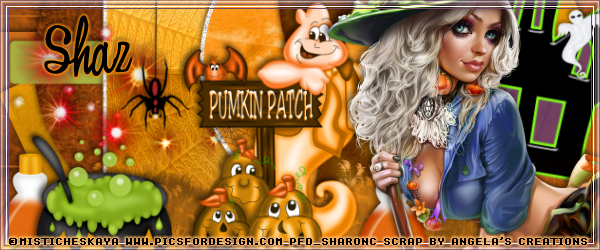
 photo buttonforpagefall_zps98c7cc22.png