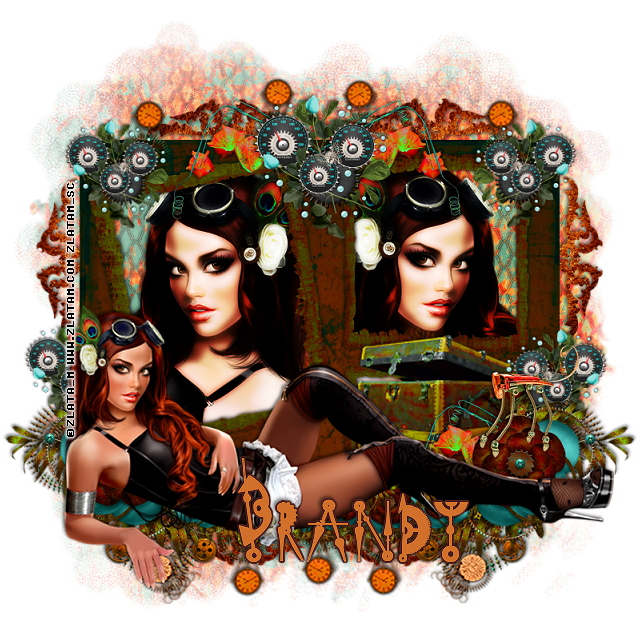
This tut was written for those with a basic knowledge of psp.
I am using the awesome artwork of Janna Prosvirina.
You need a license to use this art work. Please do not use without a license.
My license is for DC, they only sell scraps now.
My license is for DC, they only sell scraps now.
You can find this art at the Digital Art Heaven Store HERE
Supplies Needed
I used PSPX...but any of them should work.
Font of Choice, I used Magnolia Light
Drop Shadow usually V2 H2 40 black
Let's get started
*Remember to add your drop shadow as you go along*
Open the template, hold the shift key and hit the letter d to duplicate,
close the original.
Delete the credits.
Paste paper element 39, apply your mask, delete and merge group, move to the bottom layer, free rotate 90 to the right.
Select the Aqua rectangle, paste paper element 40, invert, delete, and delete the template layer also.
Apply Eye Candy4000 Bevel Boss with these settings
Width 3, Height 25, Smoothness 25
Lighting 73, 69
100, 25
Bevel profile set on Bump
On the white oval add noise at 50% if you like.
Select the Blue oval on the template, paste element paper 39, invert, delete, mirror and paste your tube, delete and select none. Change the blend mode to Soft light or one you prefer.
Apply the EyeCandy4000-Bevel Boss again with the same settings on the paper layer.
Merge bottom purple shape down with top purple shape, paste element paper
45, invert, delete.
Apply the bevel boss to these also.
Merge the dark blue bottom rectangle with the top dark blue rectangle,
paste element paper 41, invert, delete.
Merge the top aqua circle down with the bottom aqua circle, paste element paper 42, invert, delete and apply the bevel boss with the same settings.
Merge bottom purple rectangle down with the top purple rectangle, apply the bevel boss as before.
Then select this layer, select all, float, defloat, apply EyeCandy4000-Swirl with these settings
Whirlpool Spacing 69.35
Smear Length 5.46
Twist 100
Streak Detail 20
Click ok and then select none
Add noise at 50% to the white borders rectangles.
Paste your other tube just below the wordart shadow and move where you like.
Paste element 38 below the tube layer on one side, duplicate, mirror, duplicate again and move to the center.
Paste element 22 on one side above the tube layer, duplicate, mirror.
Always adjust how you like them.
Resize element 35 to 40%, place at the bottom in the center.
Resize element 23 to 50%, mirror place on the left side.
Resize element 37 to 50%, being on the top layer, place on one side, duplicate, mirror.
If using the same tube I am, paste the butterflies where you like, or use the butterflies from the kit.
Resize the ladybug to 35%, duplicate and place where you like.
Add any other elements you would like.
Once happy with it all, close off any backgrounds, merge visible.
Open the template, hold the shift key and hit the letter d to duplicate,
close the original.
Delete the credits.
Paste paper element 39, apply your mask, delete and merge group, move to the bottom layer, free rotate 90 to the right.
Select the Aqua rectangle, paste paper element 40, invert, delete, and delete the template layer also.
Apply Eye Candy4000 Bevel Boss with these settings
Width 3, Height 25, Smoothness 25
Lighting 73, 69
100, 25
Bevel profile set on Bump
On the white oval add noise at 50% if you like.
Select the Blue oval on the template, paste element paper 39, invert, delete, mirror and paste your tube, delete and select none. Change the blend mode to Soft light or one you prefer.
Apply the EyeCandy4000-Bevel Boss again with the same settings on the paper layer.
Merge bottom purple shape down with top purple shape, paste element paper
45, invert, delete.
Apply the bevel boss to these also.
Merge the dark blue bottom rectangle with the top dark blue rectangle,
paste element paper 41, invert, delete.
Merge the top aqua circle down with the bottom aqua circle, paste element paper 42, invert, delete and apply the bevel boss with the same settings.
Merge bottom purple rectangle down with the top purple rectangle, apply the bevel boss as before.
Then select this layer, select all, float, defloat, apply EyeCandy4000-Swirl with these settings
Whirlpool Spacing 69.35
Smear Length 5.46
Twist 100
Streak Detail 20
Click ok and then select none
Add noise at 50% to the white borders rectangles.
Paste your other tube just below the wordart shadow and move where you like.
Paste element 38 below the tube layer on one side, duplicate, mirror, duplicate again and move to the center.
Paste element 22 on one side above the tube layer, duplicate, mirror.
Always adjust how you like them.
Resize element 35 to 40%, place at the bottom in the center.
Resize element 23 to 50%, mirror place on the left side.
Resize element 37 to 50%, being on the top layer, place on one side, duplicate, mirror.
If using the same tube I am, paste the butterflies where you like, or use the butterflies from the kit.
Resize the ladybug to 35%, duplicate and place where you like.
Add any other elements you would like.
Once happy with it all, close off any backgrounds, merge visible.
Resize first, then add your copyrights and name.
That's it
Hope you enjoyed doing my tut.